What Is The Best Scan Tool For DIY Mechanic?
Disclaimer: This post may contain affiliate links. As an Amazon Associate, we earn from qualifying purchases.
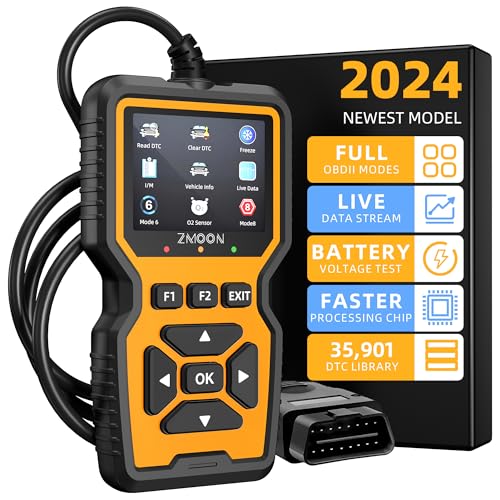
Want to diagnose and fix your own car problems instead of paying a shop? The right scan tool makes that possible. This guide breaks down the top scan tools you can buy today and helps you pick one that fits how you work. Whether you’re just starting out or you’ve been wrenching for years, there’s a tool here that will save you time and money. If you want to compare even more options beyond the DIY picks here, our roundup of the best scan tools for automotive use covers picks that lean a bit more professional.
Factors to Consider When Choosing a Scan Tool
Before you buy a scan tool, a few things are worth checking so you end up with one that actually works for your car and your skill level. Get these right and the tool will pay for itself the first time you skip a shop visit. Here’s what to look at:
Compatibility
Start by making sure the tool works with your car. Not every scanner reads every make and model, so check that yours is on the supported list before you buy. You’ll usually find this in the product description or specs.
Supported Codes and Protocols
Scanners read different trouble codes and use different communication protocols, which are the languages a tool uses to talk to your car’s computer. Pick one that covers the codes your vehicle uses so you can pull and read the data without hitting a wall. A scanner that only reads basic codes will leave you guessing on anything more involved. If you’re curious what a shop actually checks during a scan, our breakdown of what a full car diagnostic includes shows what you can replicate at home.
Supported Vehicle Makes and Models
Check which vehicle makes and models a scan tool actually supports before you buy. Some tools cover a huge range of vehicles, while others stick to a short list. If you work on more than one car, or plan to help friends and family with theirs, pick a tool that handles all of them.


Ease of Use
You want a scan tool you can actually figure out without a manual in one hand. Go for one with a clear screen and menus that make sense the first time you use them. A clunky, confusing tool wastes your time and can send you chasing the wrong problem.
Display and User Interface
The screen makes or breaks how a scan tool feels to use. Pick one that shows your codes and data clearly without squinting or guessing. A logical, well-organized layout means you spend less time hunting through menus and more time fixing the car.
Live Data and Graphing
Live data shows you sensor readings in real time as the engine runs, which is gold when you’re tracking down a tricky problem. Graphing turns those numbers into a line you can watch, so a spike or dropout jumps right out at you. If you do serious troubleshooting, these two features are worth paying for.
Additional Features
Beyond reading codes, some tools throw in extras that earn their keep. Bi-directional control lets you command parts like fans or actuators to test them, and you’ll also find ABS and airbag diagnostics plus oil light resets. Decide which of these you’ll actually use so you don’t pay for features that sit idle.
Price
Set a budget you’re happy with and shop within it. Pricier tools pack in advanced features, but plenty of cheaper models read and clear codes reliably. Spend more only if you’ll use what the extra money buys.
Warranty
A scan tool is a real chunk of money, so a warranty is worth having. It covers you if the tool arrives faulty or quits on you down the road. Read the fine print so you know exactly what’s covered and for how long before you buy.
Customer Reviews
Read the reviews before you commit. They tell you how a tool actually holds up, whether it connects reliably, and if buyers ended up happy. Look for feedback from other home mechanics working on cars like yours, since their experience will line up closest with what you’ll get.
With these points in hand, you’re ready to pick the scan tool that fits the way you work.

Types of Scan Tools
Scan tools come in a few different flavors, each built for a different level of work. Knowing the types makes it easy to land on the right one. Here’s the rundown:
Code Readers
Code readers are the simplest tools out there. They read and clear the trouble codes your car’s computer stores, so you can spot a problem and shut off a warning light. What they won’t do is show live data or any of the deeper diagnostics.
Basic OBD2 Scanners
Basic OBD2 scanners do everything a code reader does and a bit more. They read and clear codes, show some live data, and often pull freeze frame data that captures conditions when a fault triggered. They’re a solid pick if you want more than plain code reading but don’t need the advanced stuff.
Advanced OBD2 Scanners
Advanced OBD2 scanners are for when you want to dig deep. They bring live data, graphing, bi-directional control, plus ABS and airbag diagnostics. They cost more than the basic models, but you get a full toolkit for chasing down stubborn problems.
Bluetooth OBD2 Adapters
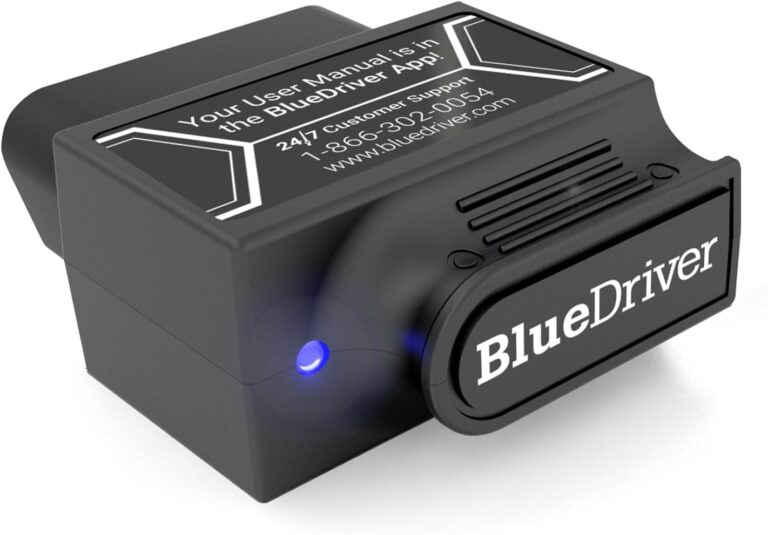
A Bluetooth OBD2 adapter is a small plug that slots into your car’s OBD2 port and talks wirelessly to your phone or tablet. Pair it with the right app and you get a load of diagnostic info on a screen you already own. They’re tiny and easy to toss in a glovebox, which makes them handy.


Wi-Fi OBD2 Adapters
Wi-Fi OBD2 adapters work just like the Bluetooth kind, plugging into the OBD2 port and pairing with your phone or tablet. The difference is they use Wi-Fi to send the data instead of Bluetooth. That can mean a faster, steadier connection while you’re reading live information.
Now that you know the types, let’s get into the top 5 scan tools worth a spot in your garage.
Top 5 Scan Tools for DIY Mechanics
- Autel MaxiCOM MK808
- BlueDriver Bluetooth Professional OBD2 Scan Tool
- Launch CRP123X OBD2 Scanner
- Innova 5210 OBD2 Scanner
- ANCEL FX2000 OBD2 Scanner
Each of these scan tools earned solid reviews from DIY mechanics and packs a strong set of features. Here’s a closer look at what makes each one worth your attention.
Autel MaxiCOM MK808
Overview
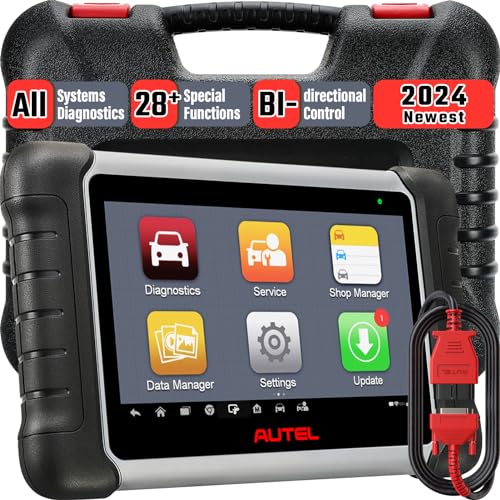
The Autel MaxiCOM MK808 handles a wide range of diagnostic jobs and stays easy to use. The 7-inch touchscreen makes it simple to tap through menus and read your results. It works with a huge list of makes and models, covering both OBD1 and OBD2 vehicles. You get bi-directional control, live data, graphing, and a deep set of diagnostic tests. Bi-directional control means you can send commands to parts of the car and watch how they respond, which helps pin down a problem fast.

Features
- 7-inch LCD touchscreen display
- Works with a wide range of vehicles
- Bi-directional control
- Live data and graphing
- Diagnose and reset ABS and airbag systems
- Oil reset, EPB service, and SAS calibration
- Wi-Fi and USB connectivity
Pros
- Simple, easy-to-follow interface
- Fast, accurate diagnostics
- Covers a huge list of vehicles
- Wireless updates
- Solid, well-built body
- Strong customer support
Cons
- Costs more than basic scanners
- Takes a little time to learn
Customer Reviews
Reviewers point to the MK808’s advanced diagnostics and friendly interface as the big wins. DIY mechanics like the broad vehicle coverage, quick and accurate readings, and the convenience of wireless updates. The higher price and the time it takes to get comfortable with it are the main gripes.
BlueDriver Bluetooth Professional OBD2 Scan Tool
Overview
The BlueDriver is a wireless scanner that pairs with your phone or tablet over Bluetooth. It reads and clears codes, shows live data, captures freeze frame data, and runs enhanced diagnostics for ABS, airbag, and transmission systems. Freeze frame data is a snapshot of what the car was doing the moment a fault popped up, which helps you trace the cause. It works with a broad spread of makes and models.

Features
- Wireless connection over Bluetooth
- Code reading and clearing
- Live data and graphing
- Enhanced diagnostics for ABS, airbag, transmission, and more
- Smog check readiness
- Freeze frame data
- Repair reports with fixes for your specific vehicle
Pros
- Simple smartphone app
- Wide vehicle coverage
- Regular updates with new features and fixes
- Accurate, dependable readings
- Smog check readiness built in
- Detailed repair reports you can share with a mechanic
Cons
- Needs a compatible phone or tablet
- Does less than a dedicated handheld scanner
Customer Reviews
Reviewers call out how easy the BlueDriver is to use, its wide vehicle support, and the freedom of going wireless. DIY mechanics like the accurate readings and the built-in smog check feature. The main complaint is that it can’t match a dedicated scanner for deeper work.
Launch CRP123X OBD2 Scanner
Overview
The Launch CRP123X is a pro-level scanner with a 5-inch color touchscreen and support for plenty of makes and models. A built-in lithium-ion battery lets you use it untethered, so you can walk around the car without dragging a cable. It runs advanced diagnostics for ABS, SRS, and transmission systems, plus live data and graphing for a full picture of what’s going on.

Features
- 5-inch color touchscreen
- Wide vehicle coverage
- Enhanced diagnostics for ABS, SRS, transmission, and more
- Live data and graphing
- Built-in lithium-ion battery
- Wi-Fi and USB connectivity
- One-click updates for software and the diagnostic database
Pros
- Smooth, responsive touchscreen
- Deep diagnostic coverage
- Cordless thanks to the built-in battery
- Quick, accurate readings
- Regular software updates
- Fair price for a pro-grade tool
Cons
- Occasional software glitches reported
- Thin customer support resources
Customer Reviews
Reviewers find the CRP123X easy to use thanks to its responsive touchscreen. DIY mechanics like the wide range of diagnostics, the live data and graphing, and the freedom of the cordless design at a price that won’t break the bank. A few flag occasional software hiccups and limited help when they run into trouble.
Innova 5210 OBD2 Scanner
Overview
The Innova 5210 is a pro-grade scanner with a large color screen and a layout that’s easy to follow. It works with a broad list of makes and models for thorough diagnostics. You get live data, graphing, ABS and airbag diagnostics, oil reset, battery reset, and more.

Features
- Large color display
- Wide vehicle coverage
- Live data and graphing
- ABS and airbag diagnostics
- Oil reset and battery reset
- Pulls and displays vehicle-specific codes
- LED indicators for emissions readiness
Pros
- Bright, easy-to-read screen
- Broad set of diagnostic functions
- Simple menus that are easy to navigate
- Works across many vehicles
- Tough, durable build
- Strong customer support
Cons
- Updating it can be a hassle
- Occasional hiccups with ABS and airbag diagnostics
Customer Reviews
Reviewers praise the 5210’s clear screen, easy menus, and wide range of functions. DIY mechanics like the broad vehicle support and the spread of diagnostic options. The sturdy build and helpful support team draw praise too. The update process and the odd ABS or airbag glitch are the sticking points.
ANCEL FX2000 OBD2 Scanner
Overview
The ANCEL FX2000 covers a lot of ground with a large LCD screen and menus that are easy to move through. It works with plenty of makes and models and runs enhanced diagnostics for engine, ABS, SRS, and transmission systems. You also get live data, freeze frame data, and graphing, with support for OBD2 and EOBD protocols.

Features
- Large LCD display
- Wide vehicle coverage
- Enhanced diagnostics for engine, ABS, SRS, transmission, and more
- Live data and graphing
- Pulls and clears trouble codes
- Supports OBD2 and EOBD protocols
- Quick, accurate diagnostics
Pros
- Clear screen that’s easy to navigate
- Works across many makes and models
- Wide set of diagnostic functions
- Dependable, accurate readings
- Easy on the wallet
- Strong customer service
Cons
- The manual skips some detail
- Limited for advanced diagnostics
Customer Reviews
Reviewers find the FX2000 easy to use thanks to its clear screen and simple menus. DIY mechanics like the broad vehicle support and the range of diagnostic functions, along with quick readings and a budget-friendly price. The thin manual and limited reach for advanced diagnostics are the common complaints.
Conclusion
Picking the right scanner comes down to a few things: vehicle compatibility, the codes and protocols it reads, how easy it is to use, the extra features, and what other owners say. The Autel MaxiCOM MK808, BlueDriver Bluetooth Professional, Launch CRP123X, Innova 5210, and ANCEL FX2000 are all strong choices, each with its own mix of features. Match each one against what you actually need and you’ll land on the right tool. With the right scanner in hand, you can track down and fix car problems without guessing.
Related posts:
 How Do I Know What Size Socket I Need?
 How Do I Choose A Wrench?
 What Is The Best Scan Tool For Automotive?
 What Is The Difference Between Scan Tool And OBD?
 What Is The Best Socket Set For A Professional Mechanic?
 What Does A Full Car Diagnostic Include?
 What Is Called Monkey Wrench?
 MECHMAX Mechanic Tool Socket Set Review