
BlueDriver Scan Tool Review
Disclaimer: This post may contain affiliate links. As an Amazon Associate, we earn from qualifying purchases.
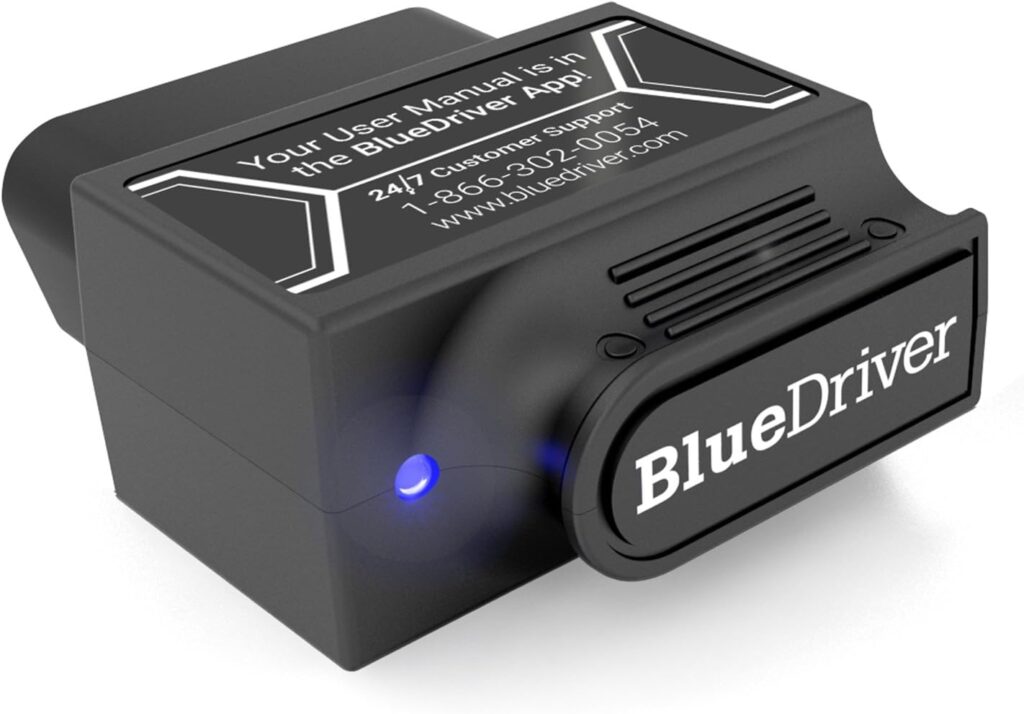
Want a simple, reliable way to figure out what’s going on with your car? The BlueDriver Bluetooth Pro OBDII Scan Tool works with iPhone and Android and reads or clears trouble codes, checks engine lights, and pulls the kind of data you’d normally only get at a repair shop. It connects over Bluetooth, so there are no cables to deal with. The app pairs codes with repair videos and step-by-step instructions for nearly every make and model, and there are no subscription fees or paid add-ons. Support is available around the clock. Grab the BlueDriver and stop guessing at car problems.

Why Consider This Product?
If you want to understand what your car is doing and stop relying on a shop for every warning light, the BlueDriver Bluetooth Pro OBDII Scan Tool earns its spot in your toolbox. It reads and clears trouble codes and checks the engine light, giving you the same data a mechanic pulls with their scan tool. Accurate readings mean you fix the real problem instead of throwing money at parts you don’t need. If you want to compare it against another budget-friendly option, check out our breakdown of the EasyAutoFix EAF1 OBD2 car scanner, which covers how it stacks up on features and ease of use.
The BlueDriver does more than a basic code reader. It pulls up specific repair reports for almost any make and model, listing likely causes and fixes that have actually worked for other people. The app is easy to use and links straight to repair videos so you can follow each step.
Features and Benefits
Easy Wireless Connection
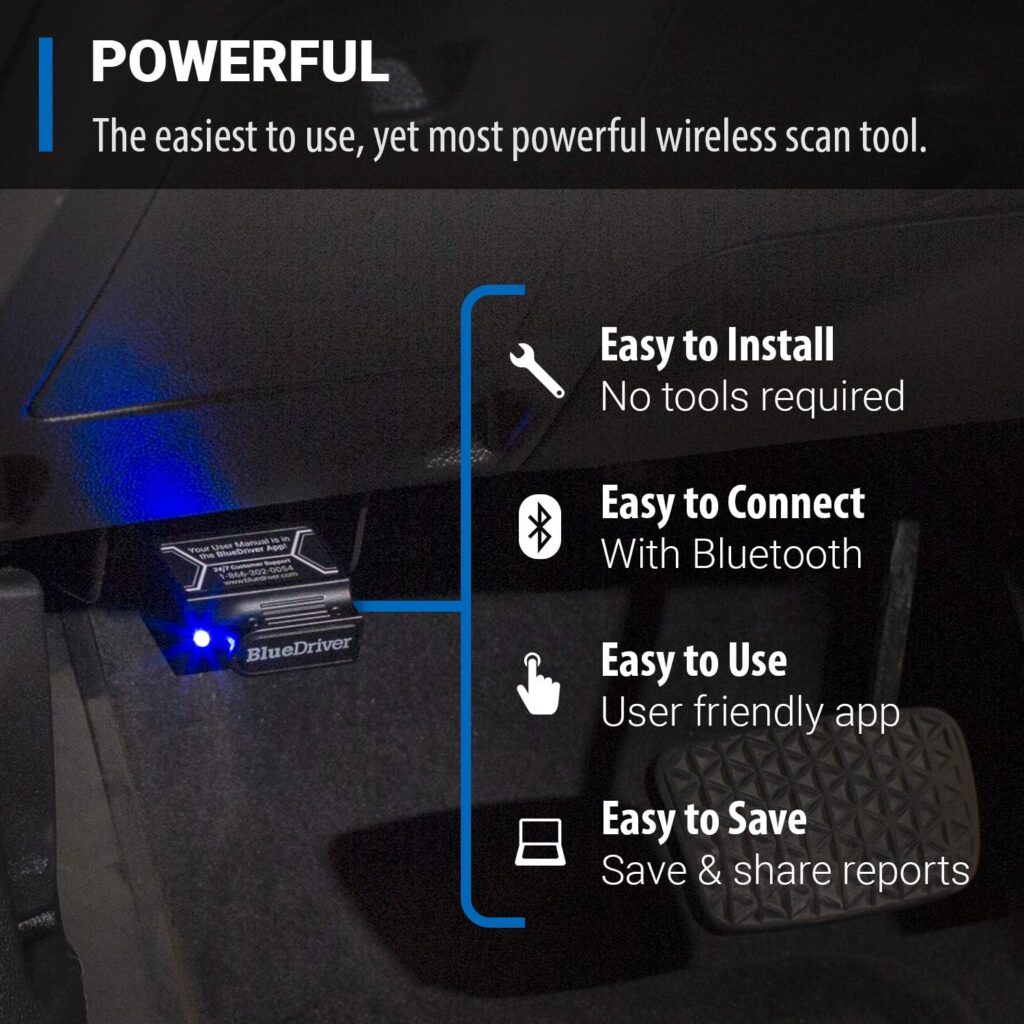
The BlueDriver connects over Bluetooth, so there’s nothing to trip over. Plug the sensor into your car’s OBDII port (the diagnostic socket usually found under the dash), pair your phone or tablet, and you’ve got a full scan tool without a single cable.
Comprehensive Diagnostics
BlueDriver digs deeper than a standard scanner. Beyond engine codes, it reads and clears codes from the ABS (anti-lock brakes), airbags, SRS (the supplemental restraint system tied to your airbags), and TPMS (tire pressure monitoring). That gives you the full picture of your car’s systems, not just the engine.
Real-Time Monitoring
Plenty of scanners cut out the moment you start driving. The BlueDriver stays connected while the car is moving, so you can watch live data on the road. That makes it far easier to catch intermittent faults that vanish during a parked scan. For the noises a scan tool can’t catch, our review of the Lisle 52500 mechanic’s stethoscope shows how to pinpoint engine and bearing sounds by ear.
User-Friendly App and Repair Videos
The app keeps the whole process simple. It links each code to a big library of repair videos with steps you can follow along. No squinting at a dense repair manual and hoping you read it right. With the videos in front of you, a wide range of repairs feels doable.

Product Quality
The BlueDriver is built to hold up under regular use and repair shops around the world rely on it. The sensor is solid and seats firmly in the OBDII port for a clean, accurate connection. You’re getting a tool that reads consistently every time you plug it in.
What It’s Used For
The BlueDriver Bluetooth Pro OBDII Scan Tool handles a lot, whether you tinker on cars for fun or just want to keep your daily driver running right.
Diagnose and Solve Check Engine Light Issues
The most common job for the BlueDriver is sorting out a check engine light. Instead of guessing or paying a shop just to read the code, you read it yourself and clear it once it’s fixed. The repair report points you to what’s likely triggering the light so you can deal with the real cause.
Identify ABS, Airbag, SRS, and TPMS Problems
The BlueDriver also reads codes from your brakes, airbags, restraint system, and tire pressure sensors. These all affect how safe your car is to drive, so catching a fault early matters.
Monitor Vehicle Health in Real-Time
Because it stays connected while you drive, the BlueDriver lets you track live readings on the move. Keep an eye on engine temperature, throttle position, and fuel economy to see exactly how your car is performing.
Perform Common Repairs and Maintenance
The video library turns the BlueDriver into a guide for hands-on work. Follow the steps to handle everyday repairs and maintenance yourself and skip a few trips to the shop.

Product Specifications
| Specifications | Details |
|---|---|
| Compatibility | iPhone & Android devices |
| Connection | Bluetooth |
| Diagnostics | Check engine, ABS, Airbag, SRS, TPMS |
| Real-time Monitoring | Yes |
| App and Repair Videos | Yes |
| Subscription Fees | None |
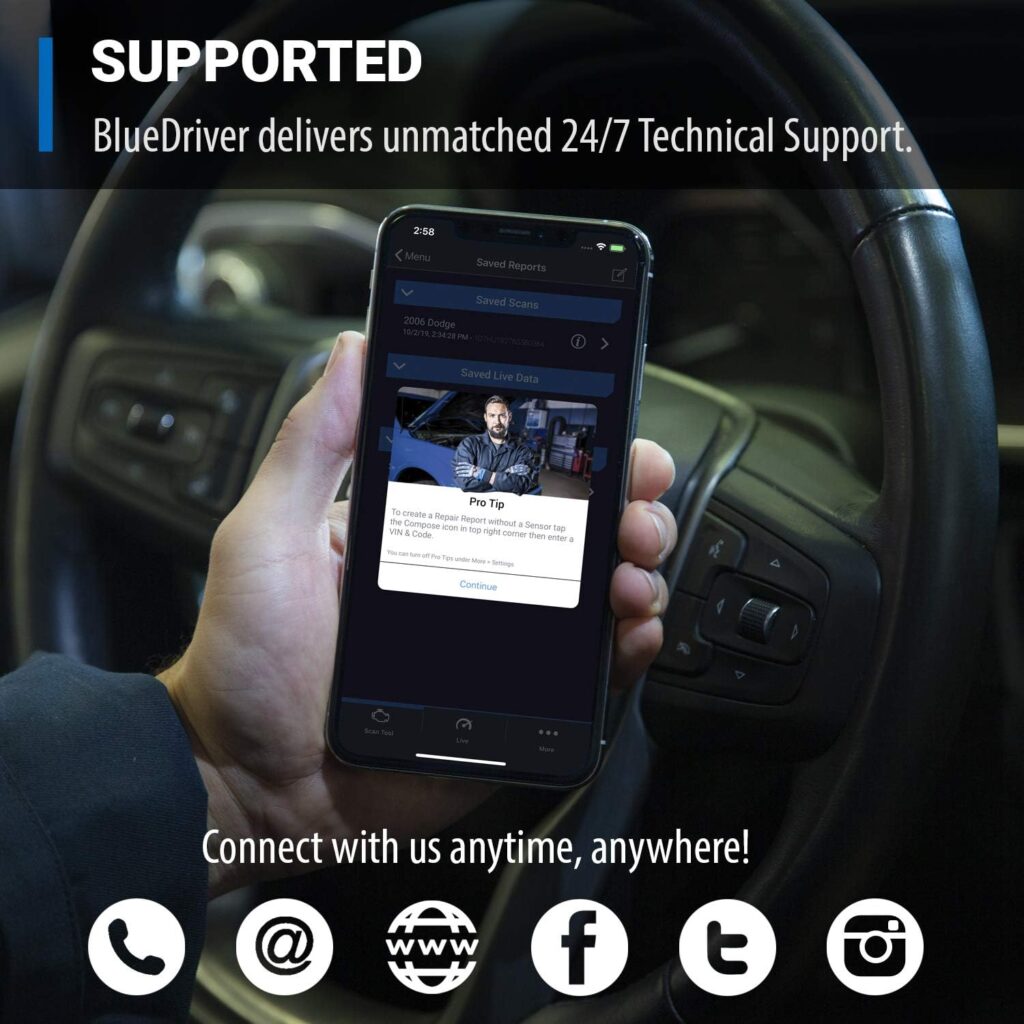
| Support | 24/7 professional support |
Who Needs This
The BlueDriver suits anyone who wants a closer handle on their car’s health. If you enjoy wrenching on your own vehicle, it gives you the data to work smart. If you’d rather not pay for diagnostics you can do yourself, it pays for itself fast. It’s also a strong pick if you like watching live readings while you drive or want to take on basic repairs and upkeep without second-guessing.


Pros and Cons
Pros:
- Connects wirelessly over Bluetooth with no cables to deal with
- Digs deeper than basic code readers for full diagnostics
- Tracks your vehicle’s health as you drive
- Simple app that includes repair videos
- One purchase with no subscription fees or extra add-ons
- Round-the-clock support from real technicians
Cons:
- You need an iPhone or Android device to run it
- The advanced diagnostic data takes some know-how to read
FAQ’s
-
Does the BlueDriver work with both iPhone and Android devices? Yes. It runs on both iPhone and Android, so you can use whatever phone you already own.
-
Can the BlueDriver stay connected to the vehicle while driving? Yes. It stays connected as you drive, so you can watch your car’s health in real time. A lot of OBDII scanners can’t do that.
-
Are there any subscription fees or additional add-ons required? No. You buy it once and get everything, with no fees or add-ons. That single purchase unlocks all the features for good.
-
Is there support available if I need assistance? Yes. BlueDriver has 24/7 support. Reach trained technicians by phone or through the in-app chat whenever you have a question.
What Customers Are Saying
Buyers like how easy the BlueDriver Bluetooth Pro OBDII Scan Tool is to use and how thorough the diagnostics are. Reading and clearing trouble codes themselves has saved them time and money on repairs they didn’t actually need. The repair reports get high marks for spelling out exactly what’s wrong and how to fix it. Real-time monitoring earns praise too, since it gives drivers confidence on the road. People with no mechanical background say the app and repair videos walked them through fixes they’d never have tried on their own.
Overall Value
The BlueDriver Bluetooth Pro OBDII Scan Tool gives you a lot for your money if you want to stay on top of your vehicle’s health. The wireless Bluetooth setup, deep diagnostics, live monitoring, and easy app put it ahead of the pack. You pay once and get unlimited access to every feature, with no subscriptions or add-ons later. The 24/7 support means help is always a call or chat away.
Tips and Tricks For Best Results
Here’s how to get the most out of your BlueDriver Bluetooth Pro OBDII Scan Tool:
- Keep the app updated so it works with the newest makes and models.
- Read the user guide and watch the tutorial videos so you know what each feature does.
- Use live monitoring to catch problems early instead of waiting for a warning light.
- Lean on the repair videos when you tackle routine fixes and maintenance.
- Reach out to the 24/7 support team with any questions. They’ll help you get more out of the tool.
Final Thoughts
Product Summary
The BlueDriver Bluetooth Pro OBDII Scan Tool lets you read and understand your vehicle the way a pro mechanic does. Between the full diagnostics, wireless connection, live monitoring, and simple app, you have what you need to manage your car’s health yourself. It replaces pricey code readers and scan tools while delivering accurate readings for nearly every make and model.
Final Recommendation
If you want to diagnose your own car and stop paying for repairs you don’t need, the BlueDriver Bluetooth Pro OBDII Scan Tool earns its spot in your toolbox. The features and strong support make it a smart buy for car fans and everyday drivers alike. You’ll have the tools and information to understand and maintain your vehicle with confidence. Skip the guesswork and start fixing problems knowing exactly what they are.

Disclosure: As an Amazon Associate, I earn from qualifying purchases.
Related posts:
 TOPDON Bidirectional Scan Tool Review
 What Is The Best Scan Tool For Automotive?
 What Is The Difference Between Scan Tool And OBD?
 Zmoon OBD2 Scanner Diagnostic Tool Review
 FOXWELL OBD2 Scanner NT624 Elite Car Scanner Review
 FOXWELL NT201 OBD2 Scanner Review
 2023 AUTOPHIX OM129 OBD2 Scanner Review
 BOSSCOMM IF742 Car Scanner Review